
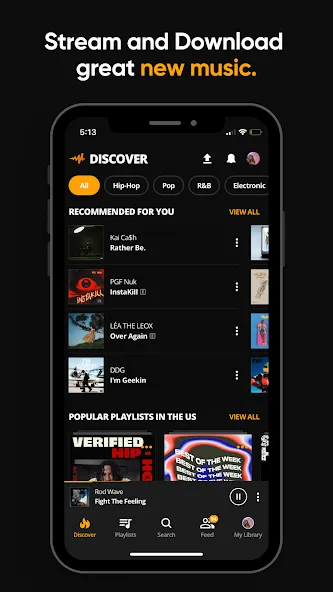
Audiomack is a music streaming application designed for Android devices. The platform features the latest mixtapes as they are released, along with music from emerging artists. Users can search for the tracks they want to hear, explore real-time charts, and discover curated recommendations. You can download and save your favorite music to enjoy offline—even when you don’t have a network connection—and create personalized playlists to manage your favorite songs. The app supports background playback, ensuring your music continues to play uninterrupted while you browse other content or use different applications. Upon first opening the app, users are prompted to set up their personal profile, including choosing a cover image.
Features
Unlimited streaming: Hit play on the newest releases, buzzing mixtapes, and rising artists, then keep the music going as long as you want.
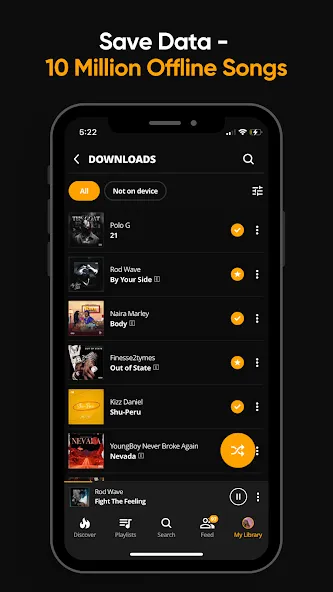
Offline downloads: Save full songs and albums so you can listen anywhere, even when you’re out of signal or conserving data.
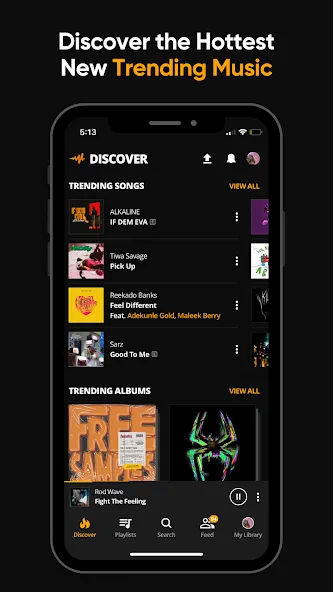
Trending discovery: Check out what’s popping today with charts and hot picks that update fast, so you’re never late to the party.
Local file player: Bring your own library with you—play MP3, WAV, M4A, AAC, and more right inside the app.
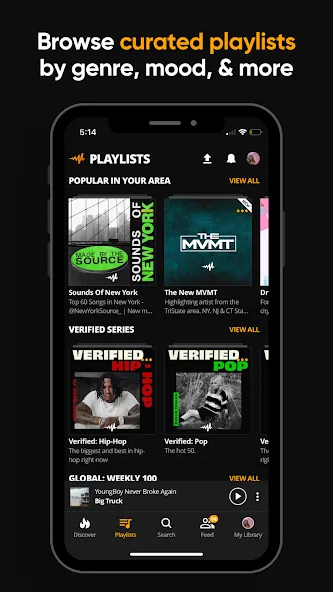
Curated playlists: Explore mood-based and genre-driven collections made to match your energy, from chill nights to gym grinds.
Function
Create your own mixes: Build unlimited playlists, reorder tracks on the fly, and keep your favorites organized.
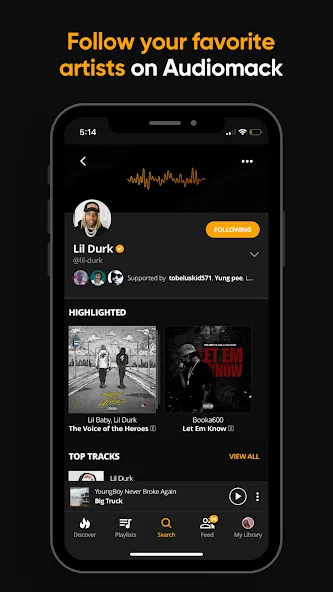
Follow artists and tastemakers: Stay close to creators you love, discover new drops, and catch updates the moment they land.
Background play: Keep music rolling while you browse, chat, or get things done—no interruptions.
Smart search and library tools: Favorite tracks, albums, and playlists, then find them fast with powerful search, shuffle, and filters.
Cross-platform support: Jam on the go or on the road with Wear OS and Android Auto compatibility.
Optional ad-free upgrade: Unlock an uninterrupted experience with a simple subscription when you want zero distractions.
Tips
Verify and optimize your profile: Apply for "Authenticated Artist" status and complete your profile by adding a profile picture, bio, cover image, and social media links to boost credibility and search visibility.
Standardize uploads and cover art: Ensure every single or album features clear, stylistically appropriate cover art, and provide accurate metadata and release dates—avoid rushing launches, as this can disrupt your promotional momentum.
Leverage playlists and trending charts: Create thematic playlists to encourage listener saves, and actively pursue inclusion in platform-curated playlists or trending charts.
FAQS
What is Audiomack?
Audiomack is an unofficial Android music app version based on Audiomack, made for streaming songs, saving tracks offline, creating playlists, and following artists.
What can Audiomack be used for?
Audiomack can be used to stream music, download songs for offline listening, play local audio files, follow favorite artists, and browse trending tracks by genre or region.
Does Audiomack support offline listening?
Yes, offline listening is one of its main features. Users can save songs to listen without a strong internet connection, which helps during travel, commuting, or low-data situations.
Who should use Audiomack?
Audiomack is suitable for Android users who listen to music daily, prefer offline playlists, like checking new artists, and want simple access to songs across different genres.
Summarize
With its extensive library, user-friendly features, and focus on trending music, Audiomack stands out as a solid choice for anyone looking to enhance their music experience. The combination of streaming and downloading capabilities makes it a versatile app for both casual listeners and avid music fans alike. Users can easily download Audiomack to access a world of music at their fingertips.