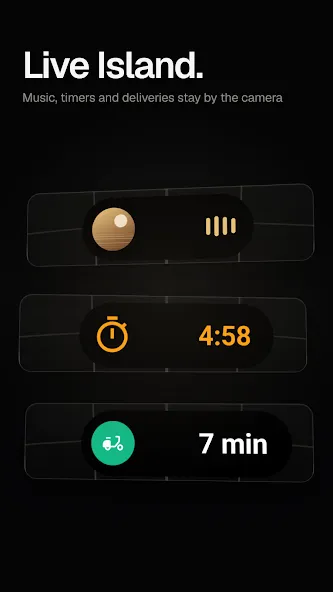
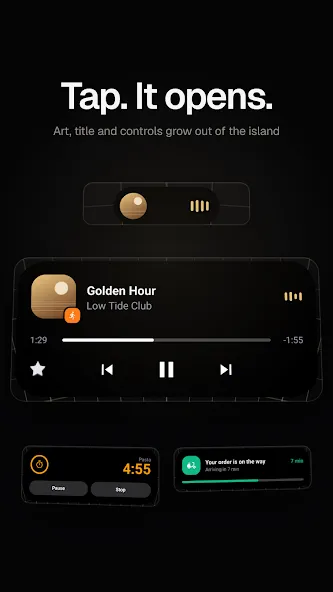
EdgeMask is a theming tool for Android devices that offers three types of notification alerts. Users can choose from a variety of lighting effects, each providing a unique visual style. The app allows for the customization of pop-up notification designs—including options for large icons, Samsung-style, or Apple-style layouts. Users can also personalize screen-wake effects, adding vibrant, colorful visuals to their phones. The app is simple to use and highly intuitive. It brings an eye-catching "Dynamic Island" style to your device, and even allows you to upload your own photos for further personalization.
Features
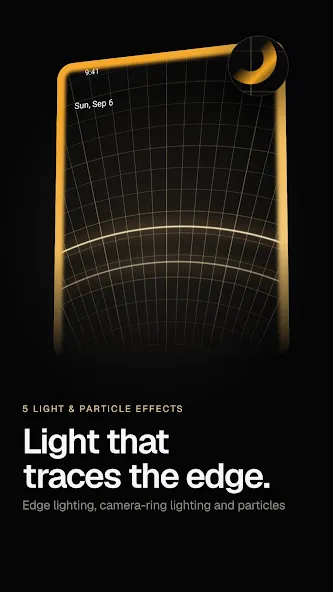
3 Notification Receive Effects. This app also offers three different notification effects that you can use. They include Edge Lighting, Punch Hole Lighting, and Edge Lighting Wave. This way, you can make your phone's notification light up in different ways.
Message Pop-Up Design Customization. Using this application, you can change the design of your message pop-ups. You can select from a variety of designs and colors. They include Book Mark, Ripple, Big Icon, Samsung, Super Slim, Card, and Apple. This diversity allows you to find the perfect design for your phone.
Change the Turn-On Screen Effect. This application also gives you the option to change the turn-on screen effect. It uses the Hello Lighting feature to introduce the new color to your phone's screen.
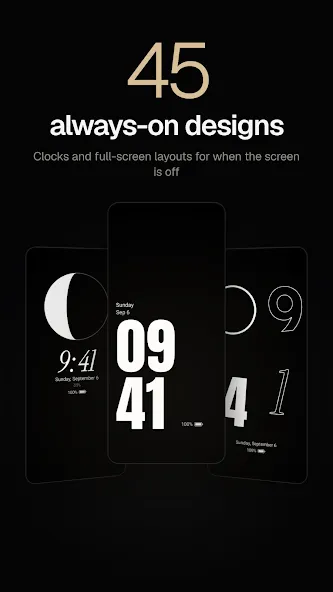
Always on Display (AOD) Support. This app enables you to activate the AOD feature on your phone. With this feature, you can see the time and date even when your phone is turned off. This way, you can save battery while still having access to the time.
Easy to Use. This application is easy to navigate and use. Even if you are unfamiliar with such applications, you will use Edge Mask without any problem. The user interface is straightforward, and all the features are just a few clicks away.
Highlights
App-Specific Lighting Effects
Choose from edge lighting, wavy edge lighting, or punch-hole lighting effects for your notifications. You can select your preferred color, a blend of two colors, or a full rainbow spectrum. Hello Lighting greets you with a beam of light every time your screen wakes up.
Unique Styles for Every App
Assign distinct visual styles to different apps—a striking "Dynamic Island" for family, fireworks for close friends, or a sleek, narrow strip for work-related chats. You can also choose to hide these effects entirely for specific apps.
Always-On Display (AOD), Lock Screen, and Rounded Corners
Express your personality even when the screen is off, with a choice of 26 clock styles and 19 full-screen layouts—complete with support for photo backgrounds and stickers. You can display pop-ups on your lock screen, have the screen wake up upon receiving a notification, or keep content hidden until the device is unlocked. The rounded-corner feature gives any display a premium, flagship-style aesthetic with smooth, curved edges.
Tips
Color and Style: Choose from a single color, a two-color blend, or a rainbow gradient; alternatively, set the border color to automatically adapt to the representative color of the app sending the notification.
Lighting Fine-tuning: Adjust the thickness of the glowing border, its rotation speed, and its duration—as well as the "Hello Lighting" effect that appears upon startup.
Lock Screen Display: Opt to show notification pop-ups on the lock screen, or have the screen wake up automatically when a notification arrives.
Summarize
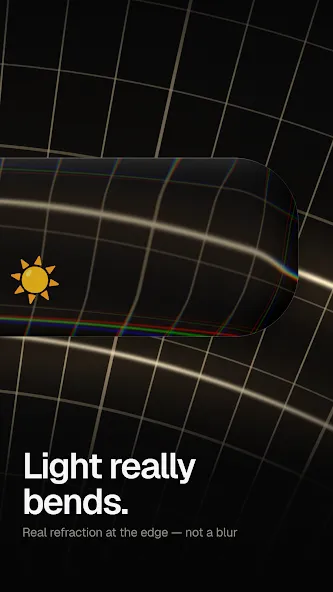
A message comes in. It drops in as liquid glass that bends the screen behind it, or grows out of the camera hole as a Dynamic Island, and your favorite photos burst across the screen. EdgeMask turns the plain system pop-up into a moment you actually want to see — on any Android phone.