
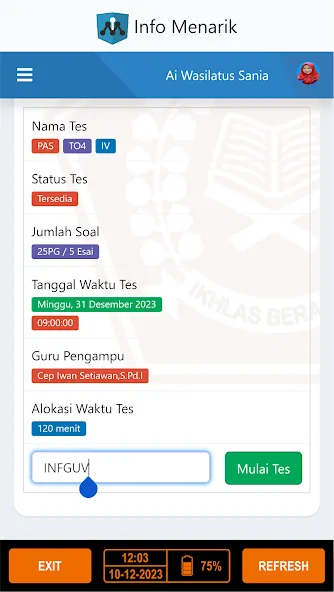
Exam Browser is an Android browser designed specifically for examinations. It restricts access to external websites during tests, ensuring fairness and integrity. By using this software, users can eliminate digital distractions and mitigate security risks. Primarily aimed at educational institutions, the application allows for encrypted settings tailored to individual exams and includes features for detecting network certificates and virtual machine environments. It supports a wide range of devices and enables data synchronization across them, helping educational institutions create an optimal testing environment.
Features
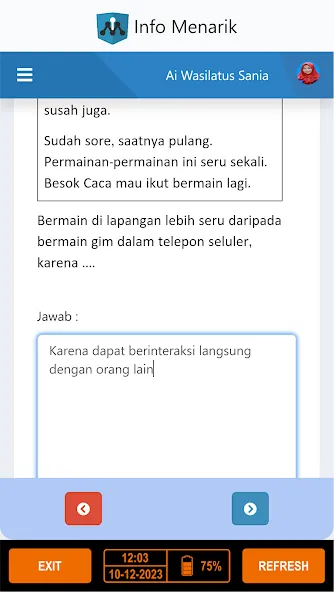
Prevents Unauthorized Access – Restricts access to external sites, applications, and system functions during an exam.
Ensures Exam Integrity – Helps institutions maintain fairness by eliminating digital distractions and security risks.
Easy to Install and Use – A straightforward setup process allows for quick installation and seamless operation.
Advantages and disadvantages
Pros
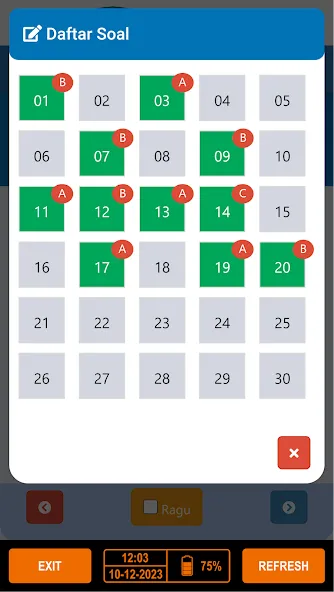
Restricts applications, system functions, and unapproved web resources
Uses encrypted configurations for individual exams
Integrates with several major assessment platforms
Supports certificate pinning and virtual machine detection
Cons
Requires careful institutional configuration
May refuse to run in legitimate virtual machine environments
Update Log
Added "Allowed SEB Versions": exams can now require one or more specific SEB client version(s). If the running version isn't allowed, SEB explains the requirement and offers to update.
Fetch & embed server certificates by URL in Settings / Network / Certificates.
Fixed improper certificate validation (CWE-295): removed the "authorized hosts" substring fallback in the server-trust evaluation, which could accept a certificate for a host whose name merely contained an authorized host name as a substring. Server trust is now matched correctly.
The in-page text search now also finds text inside iFrames, no longer clears text typed into open-answer fields, and shows the number of found occurrences.
Fixed a User Agent string with a trailing space causing web app errors.
Added compatibility for passwords containing accented characters (é, ü, ñ) across platforms.
Summarize
Exam Browser is optimized for better performance and supports a broad range of devices. Its lightweight design ensures seamless navigation without compromising device performance. The created QR codes are small in size, making storage and sharing hassle-free. This app is an essential tool for educational institutions aiming to maintain the integrity of their online exams through enhanced security and reliability.