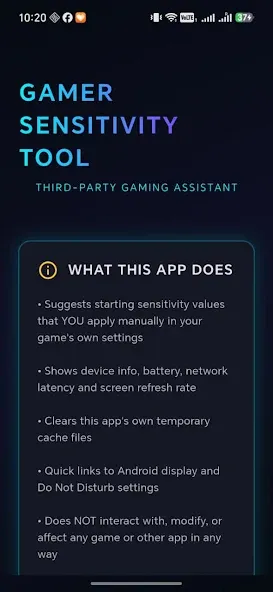
FFF Fire Headshot Hacku Panel is an assistive tool designed specifically for Free Fire. Upon first use, a guided tutorial helps players quickly familiarize themselves with the app's features. Users can adjust scope sensitivity settings based on their specific device to generate optimal baseline parameters. The tool offers presets for both single-tap headshots and "drag-shot" techniques, while also optimizing device memory to reduce lag during gameplay. By freeing up system memory before a match, it ensures a smoother gaming experience. Additionally, users can customize their HUD layout and replicate the control configurations used by professional players.
Features
Device based sensitivity generator
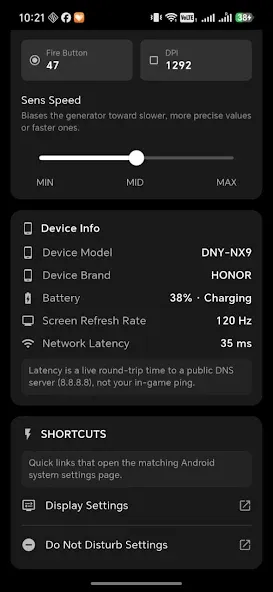
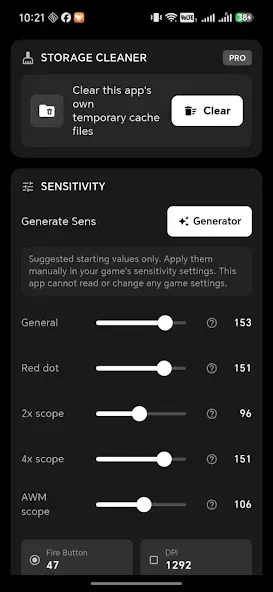
FFF Fire Headshot Hacku Panel analyzes your phone profile to suggest aim and scope values that fit its touch response. The generator gives you a starting point for General, Red Dot, and scoped sensitivities, which you can then fine tune inside the game. This approach reduces trial and error and makes adjustments more consistent across different devices.
Headshot panel presets and technique tips
You get presets focused on one tap and drag headshots, along with short guidance on how to practice. A common sample set is high General and Red Dot for faster flicks, moderate 2x and 4x for control, and lower Sniper for stability. The app explains the drag headshot basics as well. Start your crosshair at the chest, fire, and drag up smoothly to align with the head, then test in training before ranked play.
GFX Tool and graphics chooser
The graphics section helps you balance clarity and FPS so frames stay steady in hot fights. You can pick a profile that favors smooth animation or sharper detail depending on your device tier. Clear prompts explain what each choice changes, which makes it easier to match your target frame rate to your screen and reduce visual clutter.
RAM boost and lag reducer
A simple boost tool frees memory before matches to minimize stutter during sprays and rotations. It closes background tasks and clears temporary cache, which can help your device hold a steadier frame line across long sessions. Use it before ranked queues or custom rooms for more consistent performance.
Custom HUD layouts from pro inspirations
The HUD section lets you replicate pro style placements for buttons and scopes so your thumbs travel less. You can adopt two finger or three finger setups, adjust sizes, and move icons for faster reach. The app includes visual references to guide you as you rebuild your HUD inside the game settings.
Advantages and disadvantages
Pros
Adjustable crosshair appearance and size
Configurable automatic Gloo Wall deployment
Includes graphics, lag, and movement controls
Cons
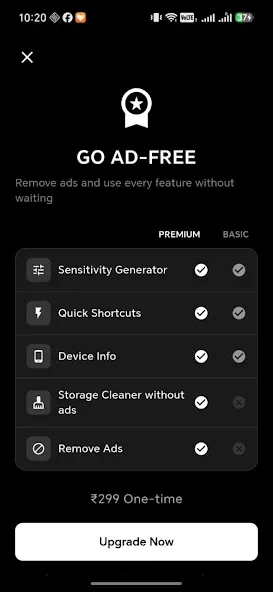
Ads repeatedly interrupt movement between settings
Combat and speed assists undermine fair competitive play
Tips
Manual Application: Third-party panels typically provide only recommended values and device-specific settings; you must manually enter these figures into the game’s settings yourself.
Fine-tuning in the Training Ground: Head to the Training Ground and test your aim by firing about 50 rounds at both moving and stationary targets. If your crosshair consistently drifts above the target, gradually decrease your "General" or "Red Dot" sensitivity settings by 5–10 points.
Avoiding Account Risks: Relying on suspicious third-party tools—such as scripts that claim to provide "auto-headshot" functionality or involve modifying files within the `Android/Data` directory—can easily be detected by Garena and may result in your account being banned. It is recommended to stick exclusively to legitimate sensitivity adjustments and custom HUD configurations.
Summarize
All in all, FFF Fire Headshot Hacku Panel is a nice little utility app to have if you’re an active Free Fire player and prefer to have a much smoother experience playing. While it frequently has ads, they’re usually worth the trouble since you’re modding your gameplay against other players. If you’d like to take things one step further with Free Fire, this is a good app to try out.