FPS Booster - 120 FPS Turbo is a game optimization tool designed for Android devices. It allows users to easily select target frame rates—such as 69, 100, or 200 FPS—by adjusting system resource allocation to ensure games run at high frame rates. The tool supports game optimization across various regional versions, including those for South Korea, India, Taiwan, and Vietnam. Users can also upload personalized configuration files. A setup guide is provided, offering step-by-step instructions for granting necessary permissions to ensure a quick and easy configuration process. By disabling "Power Saving" or "Ultra Power Saving" modes, the tool unlocks the maximum frame rate, providing users with the smoothest possible gaming experience.

Features
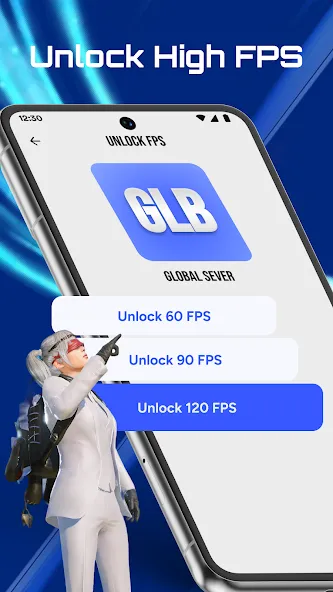
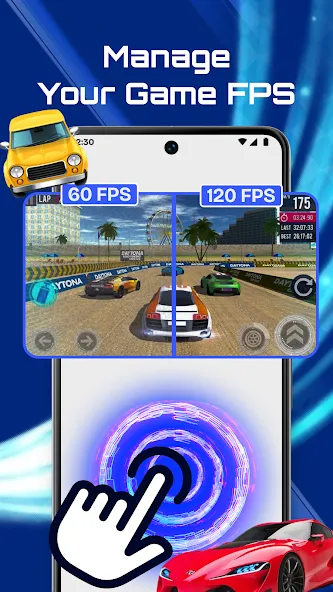
FPS Unlocking Capability: Easily select between 60FPS, 90FPS, or 120FPS to optimize your gaming performance.
Intelligent Game Optimization: Modifies system resource allocation to reduce lag and maintain consistent high frame rates.
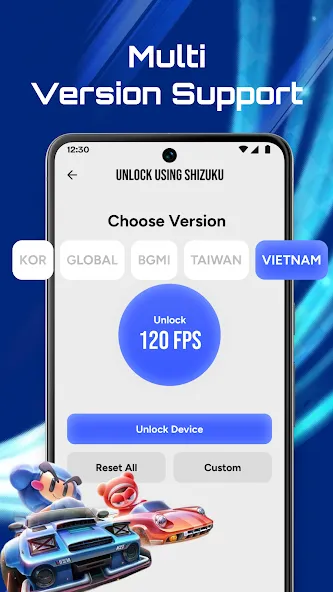
Multi-Game Support: Compatible with multiple game regions including Global, Korea, BGMI, Taiwan, and Vietnam servers.
Custom Gaming Configurations: Allows users to upload personalized Active.sav files for tailored gaming setups.
Error Resolution Assistance: Provides step-by-step guidance to address Android permission issues, with Shizuku support for enhanced compatibility.
User Interface: Features a straightforward and intuitive design suitable for both novice and experienced gamers.
Highlights
FPS & Performance Tools: Helps configure FPS settings, manage Active.sav configuration files, and optimize gaming stability on Android 10 and above.
Game & Region Support: Supports regional game versions (including Global, Korea, BGMI, Taiwan, and Vietnam) for titles like PUBG, Call of Duty, and Free Fire.
Setup & Shizuku Support: Includes step-by-step permission guides and Shizuku support to assist with configuration.
Tips
Disable Power-Saving Modes: Avoid using "Power-Saving" or "Super Power-Saving" modes while playing, as these often cap the maximum frame rate at 60 FPS or even 30 FPS.
Optimize Graphics and Refresh Rate: Set your phone's screen refresh rate to 120 Hz and adjust in-game graphics settings to a lighter profile (e.g., "Smooth" or "Medium"). This helps maintain a stable, high frame rate while keeping the device cooler.
Clear Background Apps: Before you start playing, close unnecessary background apps and non-essential resident tools (such as recording software or system monitors) to free up memory and processing power.

Summarize
FPS Booster - 120 FPS Turbo is an all-in-one solution for those looking to game at their best. Unlock higher frame rates, reduce lag, and enjoy unparalleled smoothness in your favorite games. Download the FPS Booster - 120 FPS Turbo APK to transform your gaming experience.