
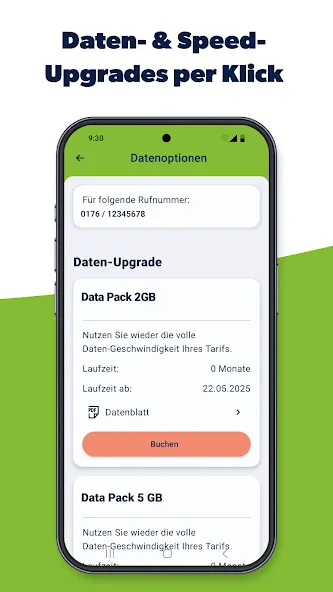
freenet Mobilfunk is a mobile account management app for Android devices. It helps users track their remaining data allowance in real time, while also logging the duration of every call and the number of text messages sent. The app allows for the creation of interactive widgets on the home screen, providing an at-a-glance view of current data usage. Users can activate, lock, or replace their SIM cards directly through the app, and even initiate a request to switch mobile carriers. Additionally, users can earn points that can be applied toward mobile data costs. In areas with poor reception, the app suggests moving closer to a window or balcony to improve the signal; it also supports various network modes to help ensure more stable calls and messaging.
Features
Data & Usage Tracking. View remaining high-speed data allowances, call minutes, and SMS counts in real time. Users can also add extra data packages directly in the app or monitor usage from their phone's home screen via an interactive widget.
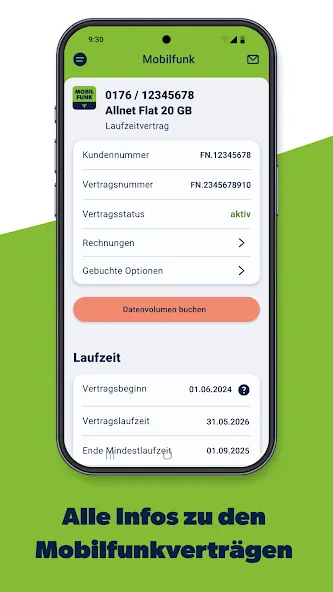
Bills & Contract Overview. Access current and past monthly invoices, inspect itemized call and data histories, and review key contract terms.
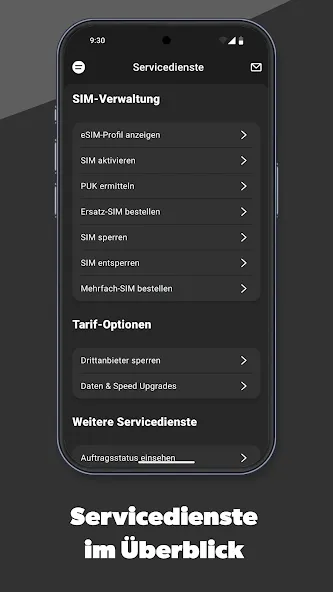
SIM & eSIM Management. Activate, block, or replace physical SIM cards, retrieve PUK codes, and configure digital eSIM profiles. Users can also initiate number porting (Rufnummernmitnahme) directly through the interface.
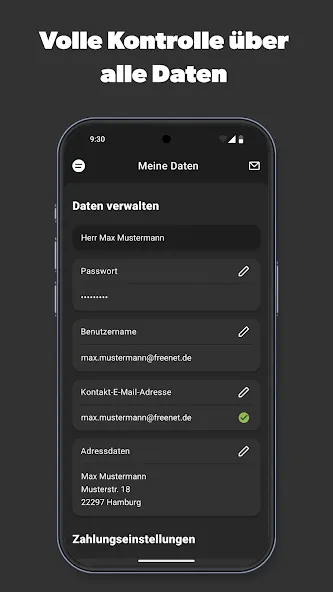
Account & Personal Data. Quickly update contact details, billing addresses, email preferences, and SEPA direct debit bank information.
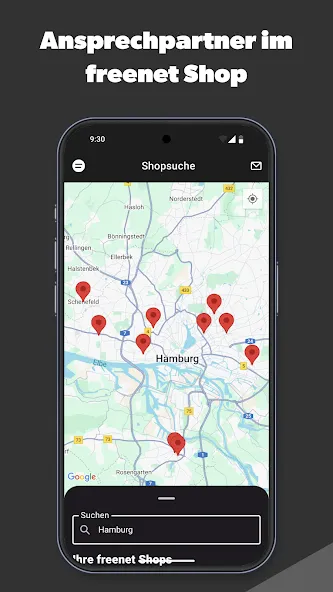
Digital Inbox & Support. Receive all official contract documents in an online mailbox (Online-Postfach), browse comprehensive FAQs, or use the built-in shop finder to locate nearby retail stores for in-person support.
Advantages and disadvantages
Pros
Earned MB points can reduce spending on mobile data
My Data toggle helps prevent unwanted data use
Includes access to recognizable partner services
Referrals reward both participants
Cons
Limited to Smart, Sun, and TNT subscribers
Free access requires completing missions
Tips
Adjust your location: If the signal is poor at home, try moving closer to a window, stepping out onto a balcony, or heading to a higher floor (as heat-insulating windows, thick walls, or steel beams can weaken the signal).
Change the network mode: Switch your network mode to GSM to stabilize voice calls and text messaging (though please note that this may result in slower mobile data speeds).
Try the "Airplane Mode" trick: Turn on Airplane Mode, wait about 10 seconds, and then turn it off; this forces your phone to re-register with the mobile network.
Enable Wi-Fi Calling: If your mobile signal is weak but you have access to Wi-Fi, consider enabling the "Wi-Fi Calling" feature to continue making and receiving calls.
Summarize
Keep key information—such as bills, charges, and usage—at your fingertips and clearly in view. Welcome to the all-new freenet Mobilfunk service app—your personal mobile account manager! With its intuitive features and a clean, well-organized interface, this app makes managing your contracts effortless.