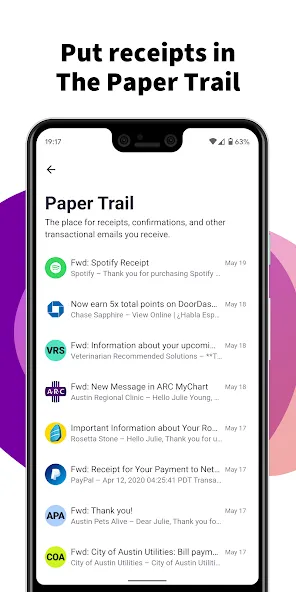
HEY Email is a powerful email communication application. It allows users to add frequent contacts and toggle push notifications on or off as desired. A "Reply Later" feature is also available, enabling you to move emails to the bottom of the screen. Within these emails, you can easily access details such as schedules, links, and phone numbers. Furthermore, there are no charges for sending or receiving emails, and the app includes functionality to block promotional or junk mail. You can view all your contacts at a glance and add personal notes to them. The app also supports logging into multiple accounts.
Features
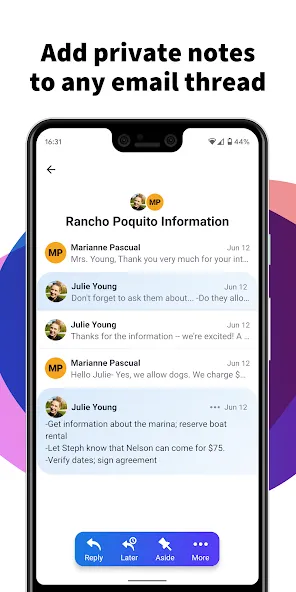
Add simple, searchable notes to any contact.
Need to keep track of details about a contact—like where you met, their phone number, or when to follow up? Contact notes are a great way to store this information, saving you from having to dig through your emails to find it.
HEY Email defaults
Turn off push notifications so your phone doesn’t constantly interrupt you with irrelevant emails. HEY Email lets you selectively enable notifications for specific contacts or email threads, ensuring you never miss the messages that truly matter.
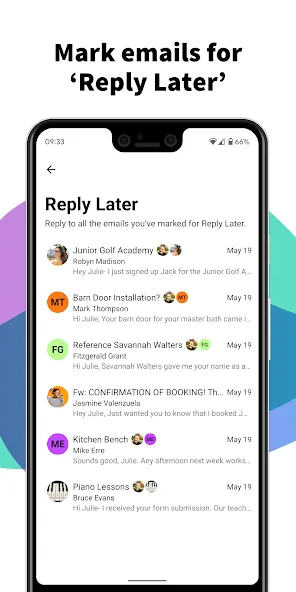
Built-in "Reply Later" workflow
Need to respond to an email but don’t have the time right now? With HEY Email, simply click the "Reply Later" button to move the message to a dedicated stack at the bottom of your screen—so it never gets lost or forgotten.
Function
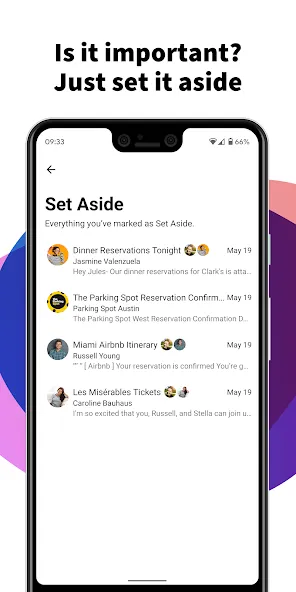
Set it aside.
Sometimes you receive emails you’ll need to reference later—like travel details, useful links, or phone numbers. With HEY Email, you can "set aside" any email into a neat, accessible stack. It’s always within reach, but tucked away so it doesn’t clutter your view.
Block email trackers.
Many companies track when you open an email, how often you open it, and even your location at the time—a serious invasion of your privacy. HEY Email blocks these trackers and lets you know who has been trying to monitor you.
Bring it all together.
Find it annoying when people send multiple emails about the same topic? So do we! With HEY Email, you can merge these messages into a single thread, keeping everything in one place. No more juggling fragmented conversations scattered across different email threads.
Tips
Utilize the 'Reply Later' feature to manage responses effectively
Take advantage of Contact Notes to keep track of important details
Use 'Set Aside' to store emails for future reference
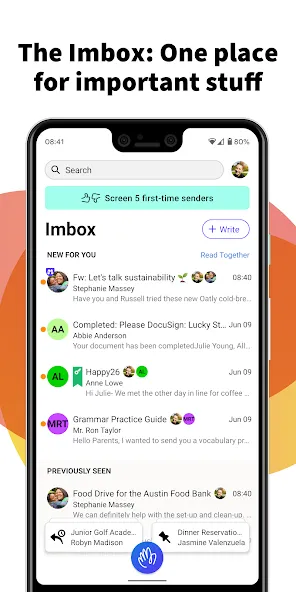
Customize your Imbox with Cover Art for a personalized touch
Link multiple accounts to view emails in one convenient location
User comments
This email application and web interface, built on an excellent concept, are both beautiful and functional. The only features currently missing are the ability to import emails (migrating old messages from other services) and export them (which would prevent "platform lock-in").
I’ve fallen in love with using email all over again! This app is well worth it, and I’m more than happy to pay for the service.
A fantastic app! It’s wonderful to have an email service that features such a beautiful interface while prioritizing user privacy above all else.
Summarize
HEY Email is a communication application designed to enhance email management by offering innovative features that streamline the user experience. This app provides users with tools to take control of their inboxes, making it easier to focus on important messages while minimizing distractions. HEY is available for the Android platform, allowing users to download and utilize its unique functionalities on their devices.