iPerf is a network speed-testing tool designed for Android devices. It supports TCP, UDP, and SCTP transport protocols, allowing users to measure maximum available bandwidth and test rate limits. The tool facilitates professional-grade UDP metric analysis and the generation of UDP data streams, while also providing diagnostics for TCP tuning. It features a native Android graphical user interface that supports the entry of Linux commands and integrates various Android system and automation control commands. It is well-suited for network test engineers, particularly for troubleshooting issues related to firewalls and endpoints.
Features
Support for multiple transport protocols: Includes TCP, UDP, and SCTP (supported on select systems).
Bandwidth and throughput testing: Measures maximum available bandwidth; allows for specifying a target bandwidth (defaulting to 1 Mbit/s for UDP; rate-limiting via the `-b` flag is also available for TCP in iPerf3) and evaluating the impact of link-layer compression on bandwidth (`-F`).
Specialized UDP metrics: Generates UDP data streams at a specified rate, while measuring packet loss and latency jitter.
TCP tuning and diagnostics: Supports adjusting TCP window size/socket buffer size (`-w`), reporting MSS/MTU values, tracking TCP retransmissions and congestion window (CWND) size, and bypassing the initial slow-start phase (`-O`).
Highlights
Interface and ongoing enhancements
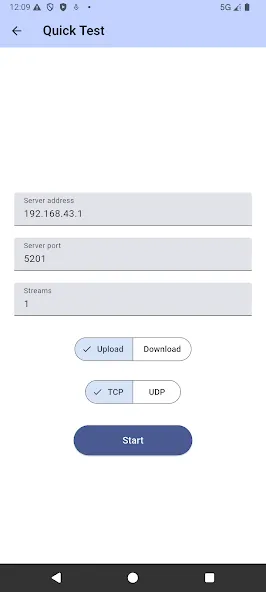
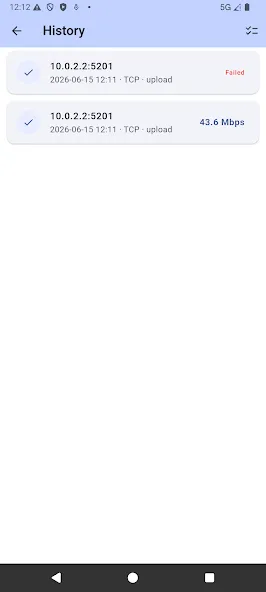
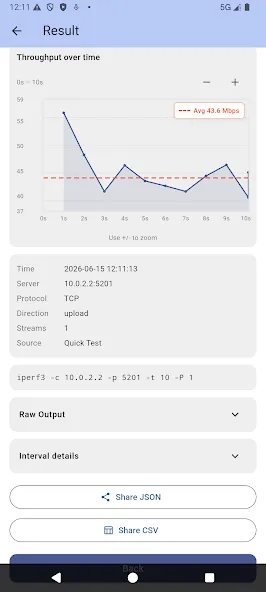
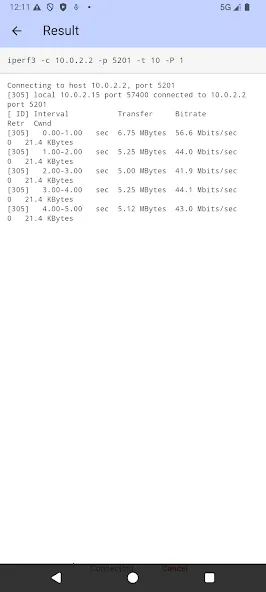
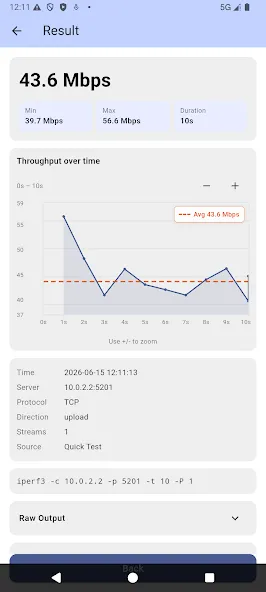
Unlike the traditional command-line utility, the Android application provides a native graphical interface with server management, live speed charts, saved server profiles, searchable history, and guided configuration. Regular updates add protocol compatibility improvements, automation features, usability enhancements, and support for newer Android releases.
Controls, automation, and Android integration
The application supports configurable test profiles, local history, exports, and Android sharing features while remaining compatible with the official iperf protocol used by Linux, Windows, macOS, and network appliances. Users can perform both quick tests and advanced custom benchmarks depending on their networking requirements.
Performance and device compatibility
iperf3 for Android supports modern Android smartphones and tablets and works across Wi-Fi, Ethernet adapters, and mobile data connections. Because it uses the official iperf protocol, it can communicate with standard iperf servers running on Windows, macOS, Linux, NAS devices, routers, and cloud servers.
Tips
Rule out endpoint and firewall interference: If a connection cannot be established, verify that the firewalls at both ends allow traffic on the relevant port (default is 5201). When testing at high bandwidths (e.g., 10Gbps or higher), a single CPU core can easily become a bottleneck; on Linux systems, consider using `taskset` to pin the process to specific cores, and monitor CPU utilization.
Be aware of the differences between TCP and UDP: TCP performance is influenced by window size (`-w`), latency, and packet loss; UDP is typically used to measure jitter and packet loss rates at a specific data rate.
Use parallel streams judiciously: Increasing the number of parallel streams (`-P`) can improve throughput on paths with high latency or load balancing; however, an excessive number can increase the overhead of system scheduling and retransmissions. It is recommended to test incrementally to find the optimal balance.
Summarize
iPerf is a powerful network testing and performance measurement tool designed for users with relevant technical experience. Available for Android, iPerf requires a secondary device to act as a client, enabling comprehensive Wi-Fi testing that provides in-depth insights into your network performance. It is particularly well-suited for tech enthusiasts looking to evaluate and optimize network reliability and speed.