
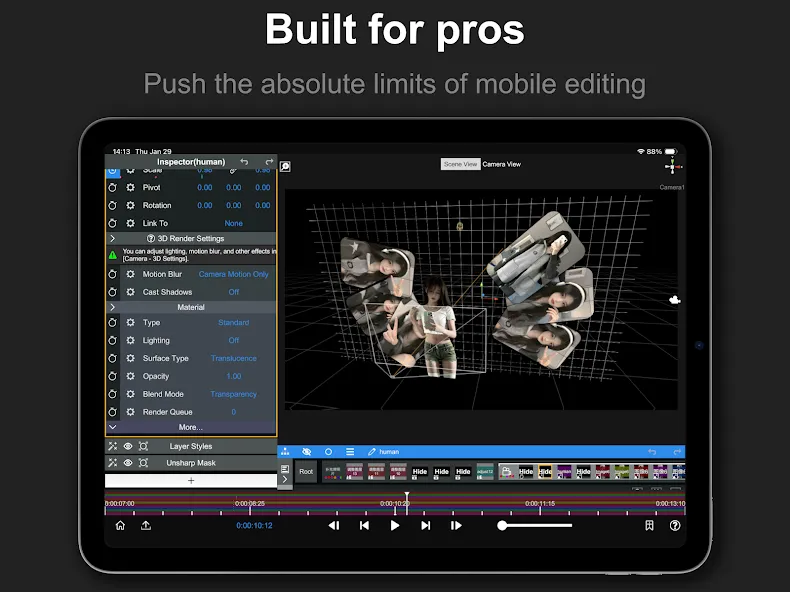
Node Video is a video editing application designed specifically for mobile devices. It allows users to anchor graphics, titles, and other objects to the motion path of the camera, with automatic matching that ensures special effects and scene elements blend together seamlessly. The software supports unique workflows, enabling the construction of complex video production pipelines. Users can animate any element within their video using keyframes, and apply precise refinements through masking and curves. Furthermore, the app functions entirely offline, requiring no internet connection for editing. By leveraging masking and curve-based editing, users can make meticulous adjustments to craft the exact visual results they envision.
Features
Pro toolkit in your pocket: A full editing environment designed for creators who want control, speed, and high-quality results—without hauling a desktop everywhere.
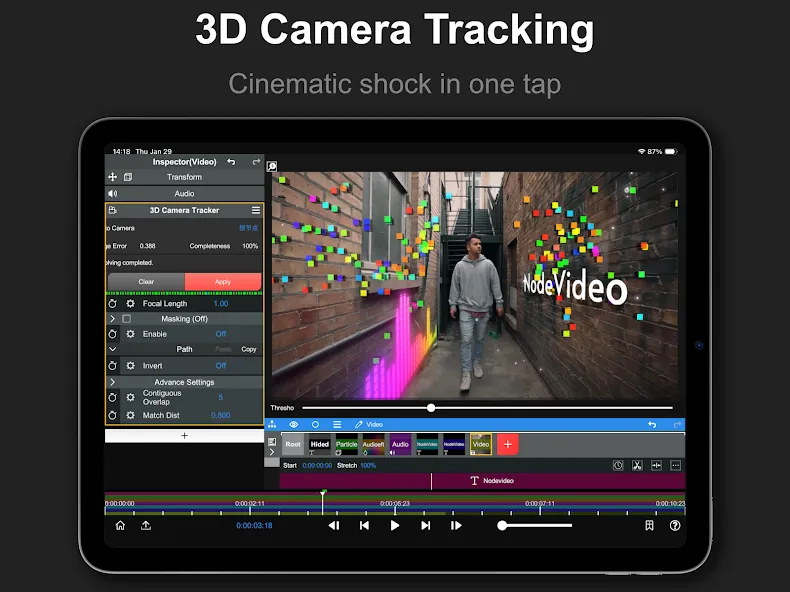
3D tracking and compositing: Anchor titles, graphics, or objects to real camera movement and match perspective so your effects sit naturally in the scene.
Optical-flow motion magic: Create smoother slow motion and cleaner frame interpolation, with motion-aware results that look far more natural than simple frame repeats.
Node-based effects workflow: Build complex looks by connecting effects like blocks—mix, blend, and experiment freely while keeping your project organized.
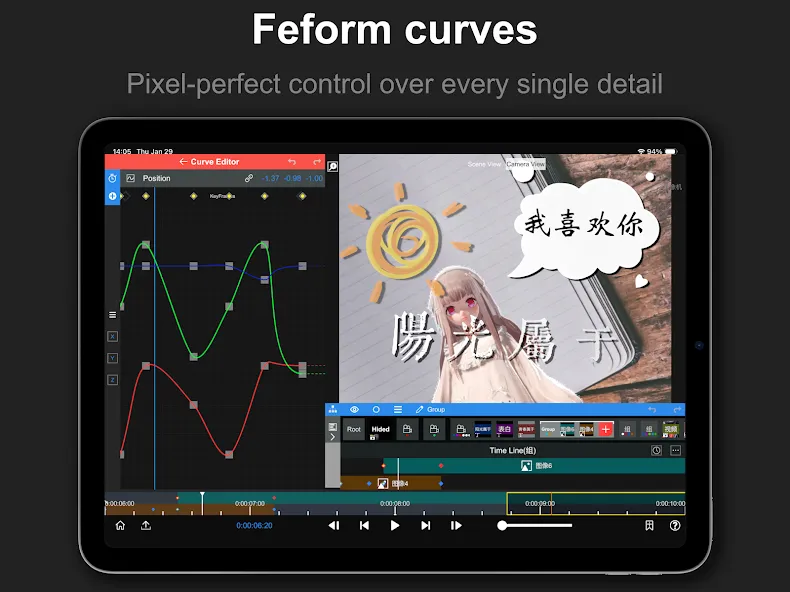
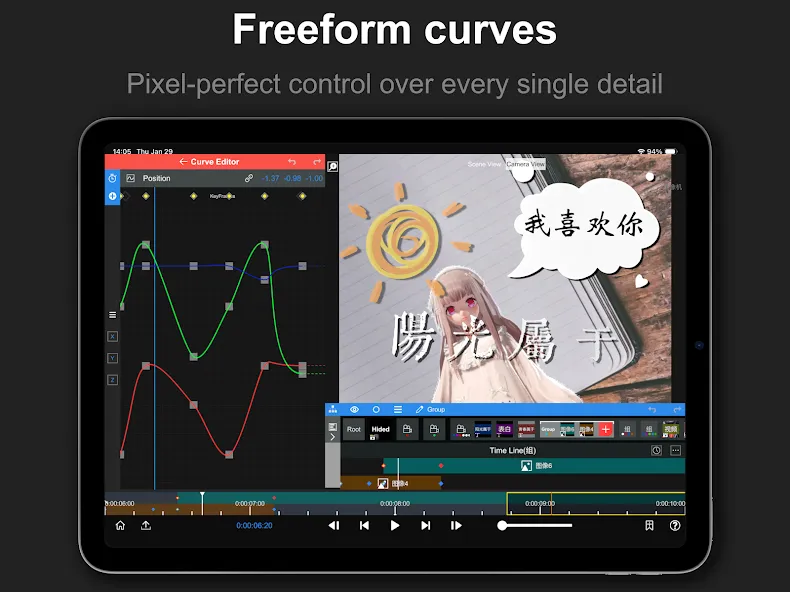
Precision controls: Animate anything with keyframes, fine-tune with masks and curves, and dial in the exact look you’re after.
High-quality preview and export: Enjoy responsive playback while you work and export crisp results that hold up when you share.
Works entirely offline: Edit anywhere without a connection, and enjoy an ad-free experience that keeps your focus on the cut.
Mostly free, for real: The core feature set is free to use long term, with optional upgrades if you need more.
Pros and Cons
Pros
extensive layer, keyframe, masking and color tools
AI features, an audio reactor and 3D rendering
the app is free to download
Cons
there is a steep learning curve
some professional effects and presets require a Pro subscription
Highlights
AI Technology for Video Editing
In many other applications, removing a background manually is time-consuming and often yields unattractive results. Node Video leverages advanced AI technology that allows you to fine-tune background separation, catering to the specific needs and preferences of most users. With just a single tap, the app can instantly and realistically remove people from a background. You can then change the background to your liking with just a few more clicks.
A Wealth of Professional Effects
One of the app’s key selling points is its ability to add realistic effects to static images. You can utilize built-in effects or import your own, offering you significant creative freedom. Beyond visual effects, the program also allows for the customization of a wide range of slide transitions. Furthermore, you can create Hollywood-quality special effects to bring your videos to life.
Fast and Efficient Video Exporting
Once you have completed your video project in Node Video, the final step is to export the finished clip in your preferred format, with the output quality fully optimized. You can customize your video export by selecting specific parameters, such as resolution and aspect ratio. The export process duration will vary based on the length of the video and your chosen quality settings; videos featuring high-quality audio, complex graphics, and intricate effects will naturally take longer to export than projects with fewer effects.
FAQS
What does Node Video do?
Node Video is a mobile video editor that brings professional-grade editing tools to your phone. Its features include 3D camera tracking, optical flow frame interpolation, and chroma key masking.
Is Node Video free?
The app can be downloaded for free, and 90% of its features are free for life. Some premium features are unlocked through in-app purchases.
Does Node Video work offline and show ads?
Node Video works 100% offline and offers an ad-free experience. Its developer, Shallway Studio, states that it does not collect data.
Summarize
Node Video is a free video application for mobile devices, developed by Shallway Studio. It is a video editing app equipped with powerful tools and options that allow users to make complex, precise adjustments to their videos, as well as apply effects that alter their appearance and presentation.