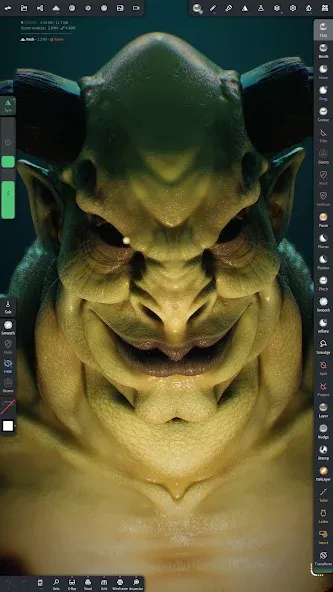
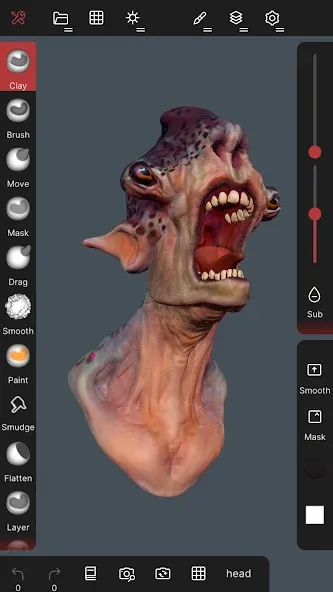
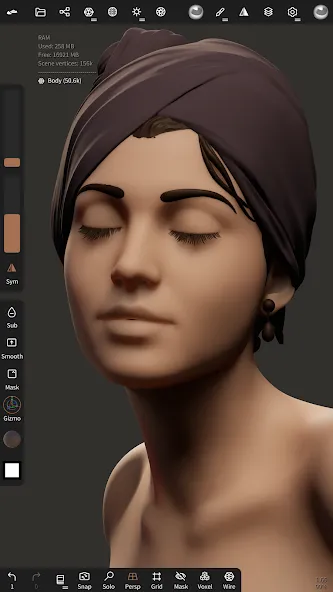
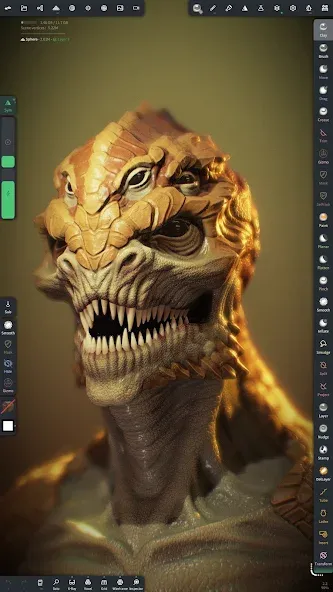
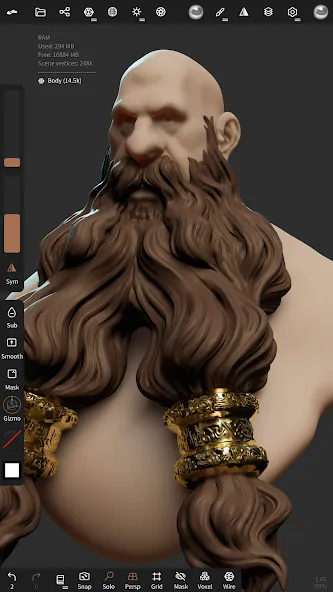
Nomad Sculpt is a modeling and editing tool designed for Android devices. It features an intuitive interface that is highly accessible to beginners, allowing users to create their own 3D models. The software offers a variety of advanced sculpting tools, including responsive sculpting brushes, as well as real-time rendering that enables instant previews throughout the creative process. When starting a model, users can select different resolution settings to suit the performance capabilities of their specific device. Additionally, the app includes features such as strip tools, extraction tools, and randomization functions—all of which provide valuable support for artists.
Features
It has a user-friendly interface that makes it easy to use for both beginners and professionals. The app comes with a set of intuitive tools that allow you to create complex 3D models effortlessly
You can create highly detailed models with its advanced sculpting tools. The app comes with a variety of brushes, deformers, and other tools that allow you to create complex 3D shapes
It has a real-time rendering feature lets you see your model as you work on it. This feature is essential for creating accurate and detailed 3D models
Allows you to work on models of varying resolutions, making it easier to create models with varying levels of detail
Let you export your models in various formats, including OBJ, STL, and PLY. This means you can use your models in other applications or 3D printing
Update Log
Poly Haven 3D models in the Files presets
Band: Extend and Flip, Mask: Preview while you edit the shape
Extract: Interior Relax or Smooth
Randomize: the same amount at each copy
DynTopo removes tiny tangled pieces
Export: Join copies merges each object with its repeater copies
Tips
Polygon Count: As mobile devices and tablets lack active cooling and have limited memory, it is recommended to keep the polygon count between approximately 1 million and 4 million to prevent lag or app crashes.
Gestures and Interface: Use a two-finger tap to undo, a four-finger tap to toggle the interface display, and a three-finger gesture to adjust the brush radius. You can also scale the interface or modify menu transparency to better suit your screen.
Refinement and Rendering: Use the "smooth" tool to fix voxel artifacts; enhance the final visual quality by incorporating lighting, subsurface scattering, and post-processing adjustments.
FAQS
What is Nomad Sculpt?
Nomad Sculpt is a mobile 3D sculpting app that lets users model, paint, and render digital creations using tools like brushes, layers, and dynamic topology.
Is Nomad Sculpt good for beginners in 3D art?
Yes, it’s beginner-friendly with an intuitive interface, customizable brushes, and non-destructive layers—great for learning 3D without feeling overwhelmed.
Can I use Nomad Sculpt for professional 3D work?
Absolutely. Artists use it to create professional-level assets, with support for mesh export, UV unwrapping, baking, and quad remeshing via in-app purchase.
Does Nomad Sculpt work offline?
Yes, once downloaded, Nomad Sculpt runs completely offline—no internet required to sculpt, paint, or export your 3D models.
What file formats does Nomad Sculpt support?
Nomad Sculpt supports exporting and importing formats like OBJ, STL, PLY, and glTF, making it easy to use across other platforms or 3D printing tools.
Summarize
Nomad Sculpt is a 3D modeling tool that will help you create virtual sculptures and 3D compositions right from your smartphone. Through a somewhat complex interface that will provide you with dozens of options and features, you'll have everything you need at your fingertips to generate realistic designs without having to resort to other paid tools.