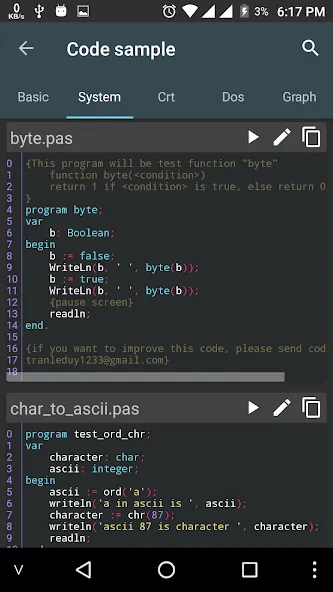
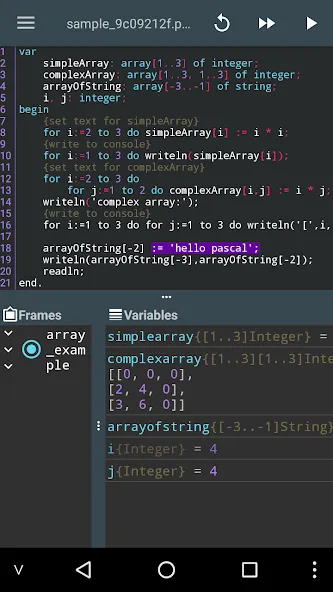
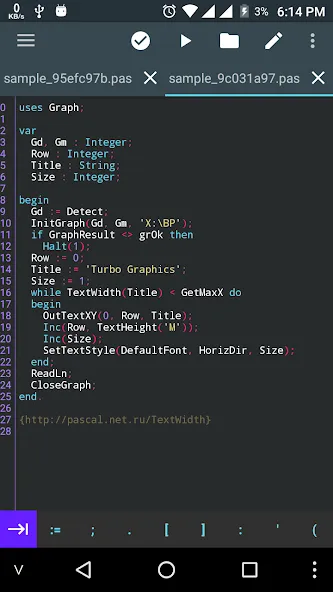
Pascal N-IDE is an educational application designed for Android devices. Its primary function is to provide an execution environment for various types of code. Users can write programs within the app, with simple options to create, open, and save files. It features auto-completion while typing, real-time code formatting, and support for regular expressions in find-and-replace operations. The app also supports various Android extension libraries—for instance, enabling features like text-to-speech—and allows users to customize the interface style and fonts to their personal preference. Educators can utilize this software for instructional purposes to help students practice programming.
Features
Pascal Compiler on the Go
Build and run your Pascal programs straight from your phone or tablet. No need for an internet connection or PC. It’s all there when you need it.
Smart Code Editor
You’ll get all the essentials: create, open, save, or autosave program files with a few taps. Edit your work with familiar features like undo, redo, copy, or paste, just like on a computer.
Handy Tools for Coders
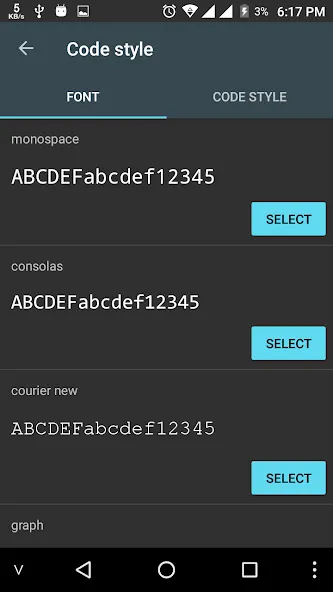
The editor isn’t just basic—you’ve got autosuggest as you type, instant code formatting to keep things readable, find and replace (regular expression support included!), quick “go to” line navigation, syntax highlighting, and the chance to tweak your fonts, wrapping, and editor styles.
Extra Android Libraries
Want to work with sensors, battery info, audio, or even have your app vibrate? Pascal N-IDE – Editor Compiler includes cool libraries such as aTTSpeech for text-to-speech, aRecognition for speech-to-text, aSensor for real-time sensor data, and more. You can experiment with all sorts of Android features directly from your Pascal code.
Lots of Customization
Adjust styles and fonts to fit the way you like to work. Highlighting, word wrap, and interface tweaks mean you can set things up just how you want them.
Tips
Use auto-completion and auto-formatting: Leverage auto-suggestion pop-ups while typing to reduce typos, and apply auto-formatting afterward to ensure consistent code indentation and layout.
Use regular expressions for search and replace: Enable the regular expression option within the search/replace function to boost efficiency when performing bulk modifications to variable names or code structures.
Utilize quick navigation and multi-file management: Use line-based navigation to jump directly to the location of errors, and break down complex programs into multi-file projects to simplify maintenance.
FAQS
What is Pascal N-IDE?
Pascal N-IDE is an integrated development environment (IDE) designed for writing, compiling, and debugging Pascal programs.
Who developed Pascal N-IDE?
Pascal N-IDE is developed by mauhieudev.
What features does Pascal N-IDE offer?
Pascal N-IDE offers features like code completion, error checking, project management tools, and debugging utilities.
Can I use Pascal N-IDE for educational purposes?
Yes, Pascal N-IDE is suitable for educational purposes, allowing students to learn and practice programming in Pascal.
Summarize
Pascal N-IDE is a versatile educational application designed for Android users who wish to learn and practice Pascal programming on their mobile devices. This free app offers an integrated development environment, allowing users to create, edit, and compile Pascal programs seamlessly. With its user-friendly interface, the app caters to both beginners and experienced programmers, providing essential tools to enhance the coding experience.