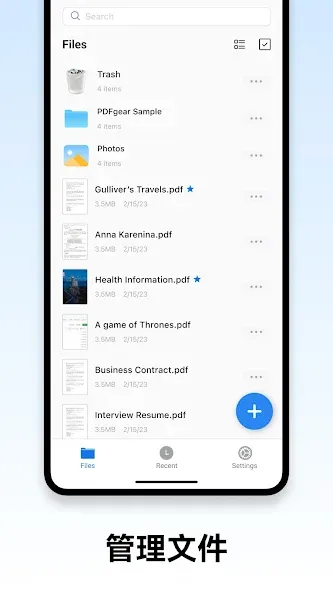
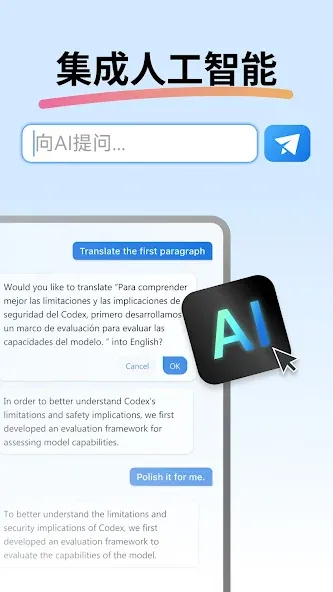
PDF Editor is a powerful office software application that users can access immediately without needing to register an account. You can create new PDF files and edit the text within them—adjusting font sizes and adding your own signature. The software also allows you to organize pages by reordering, rotating, splitting, or merging them. Beyond PDF files, it supports format conversion, enabling you to convert files to and from formats like JPG and PNG. You can export documents in a format optimized for printing, and apply features such as password encryption, watermarks, and headers. The software offers various viewing modes and text-reflow capabilities to ensure an optimal reading experience. Additionally, a built-in "PDF AI" assistant is available to help users quickly learn how to use the software and navigate its features.
Features
Read and annotate offline
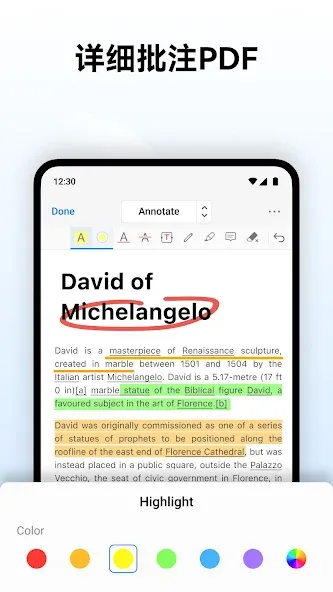
You can open PDFs, add highlights and comments, and fill digital forms without an account. Files load quickly and work without a connection.
Edit text and images
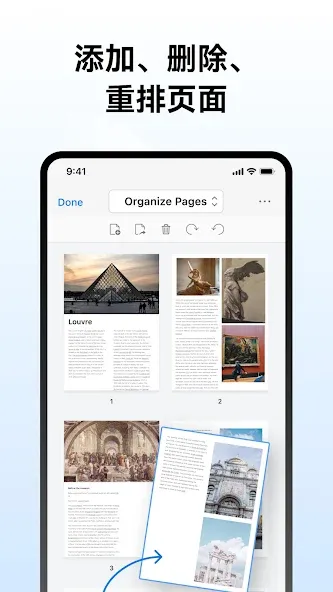
When you need to go further, PDF Editor lets you change text, adjust fonts, replace pictures, and add a signature. You can also reorder, rotate, split, and merge pages to keep a clear structure.
Convert and export formats
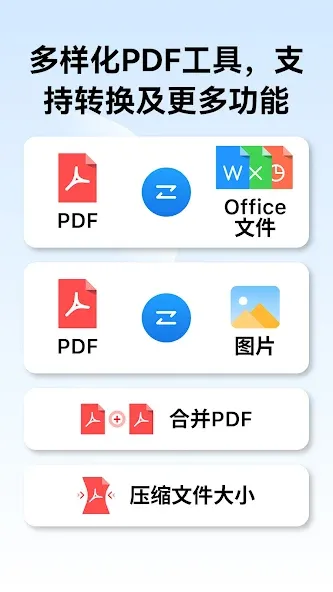
Convert PDFs to Word, PowerPoint, JPG, or PNG for reuse. Turn images, Word, or PowerPoint into PDF when you need a consistent file. You can also export a print ready version or a smaller web friendly file.
Protect and access your files
For secure sharing, add password encryption, watermarks, headers, and footers. To keep documents available across devices, connect to cloud services such as Google Drive, OneDrive, and Dropbox.
Pros and Cons
Pros
Offers multiple viewing modes and text reflow, providing great reading flexibility.
Automatically scans and organizes PDFs stored on the device; features fast search and opening speeds.
Includes a comprehensive suite of tools—such as annotation, note-taking, digital signatures, and file splitting/merging—catering to both reading and document processing needs.
Supports bookmarks, text search, and copying, making it more efficient to locate information.
Cons
The interface is densely packed with features, which may feel cluttered to first-time users.
Accidental gestures can inadvertently switch the app from reading mode to editing mode, while toolbars may obstruct the view and disrupt focus.
Update Log
AI Assistant for PDFs (Beta)
Meet your new reading companion! Get instant summaries, ask questions, extract key points, and even generate quizzes — all from inside your PDF. Try it free with 3 credits.
PDF to Long Image
Export any PDF as a single scrollable image — perfect for sharing on social media or messaging apps.
Widgets
Add quick-access widgets to your home screen and jump straight into your PDFs without opening the app.
FAQS
What is PDF Editor?
PDF Editor is a mobile tool for Android that lets users read, edit, annotate, sign, and convert PDF documents directly from their devices.
Can I edit text and images directly in a PDF using PDF Editor?
Yes, with a registered account or premium access, you can modify text, fonts, and images directly in your PDF files.
Does PDF Editor support cloud storage integration?
Yes, it connects with Google Drive, Dropbox, and OneDrive, so you can easily access and save your documents online.
Is PDF Editor free to use?
Basic features like reading and annotating are free. More advanced tools like editing content or converting formats require in-app purchases.
Who should use PDF Editor?
It’s a good fit for students, professionals, and freelancers who regularly work with PDF files and need tools like signatures, merging, or file conversion.
Summarize
PDF Editor is a mobile utility tool designed for Android devices, offering an all-in-one solution for editing and managing PDF files on the go. This app brings professional-level editing capabilities to your fingertips, making document work easier for students, professionals, and anyone who deals with digital files.