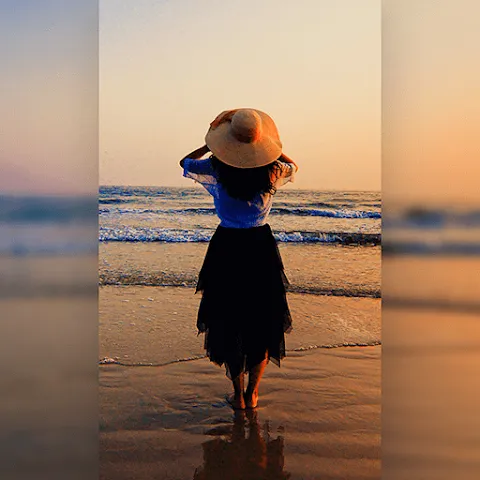
Square Fit is a powerful photo editing tool designed for creating square-format images. With a single tap, users can convert their photos into a square aspect ratio. The app offers customizable blurred backgrounds, and users can combine up to nine photos into a single layout. A variety of fun stickers are available to add a personal touch, while professional-grade filters and light-leak effects can be applied to enhance any image. Square Fit also includes video editing features—such as the ability to add text, music, background stickers, and blur effects—to help users craft their own videos. Additionally, the app supports the creation of layouts using up to 15 photos at once.
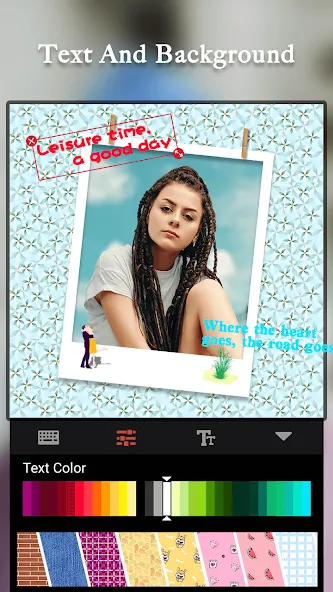
Features
No crop photo editor for instagram
No Crop and Square for Instagram. You can square photo in seconds!
Blur border
Set blur background, black background, white background and many colors.
Collage maker
Collage Maker will allow you to combine the 1-9 photos together instant .
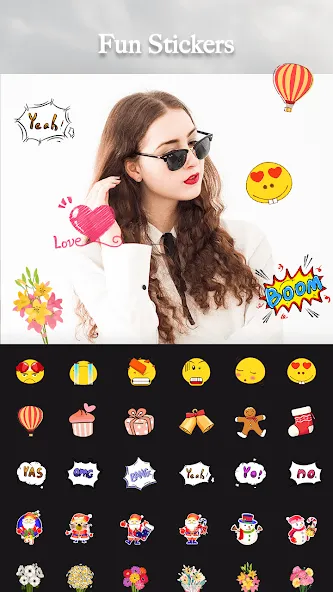
Funny Sticker
300+ amazing stickers for you. Add emoji stickers and super funny stickers to no crop photo.
Function
Filter and Leak effect
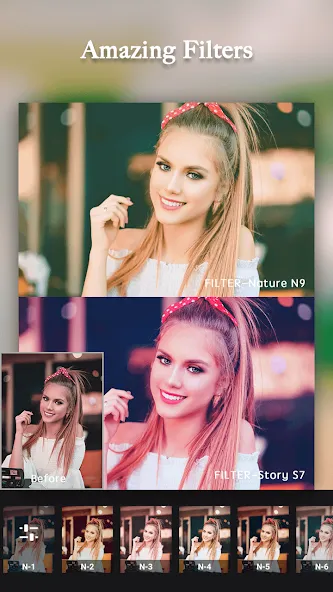
100+ professional filters and leak effect will make your photo be more beautiful . You can add them to square photo or photo collage.
Powerful video editing tools
With Video Editor you are very easy to edit your video story. We are trying to build an all-in-one video editor as: Text Music Background Stickers Blur... Everything you need to make an awesome video.
Beauty camera
Use Beauty Camera can help you take the perfect-looking selfie!
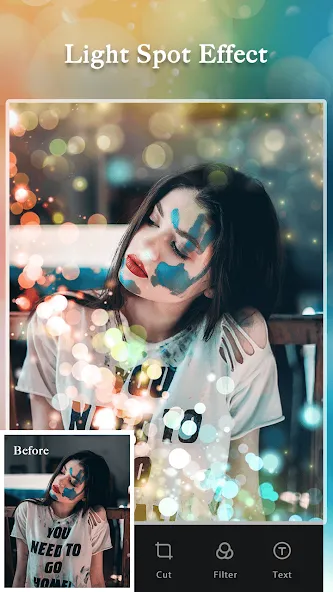
Shine sparkle effect
You can shoot video or photo with impressive glitter effects easily. Colorful effects like Jewelry glass illumination etc, make your photo become magic and fashion.
Advantages and disadvantages
Pros
Highly integrated functionality, covering photos, collages, scrapbooks, GIFs, videos, and watermarks.
Comprehensive photo-editing tools, supplemented by a wide range of assets such as stickers, backgrounds, borders, doodles, and text.
Supports collages of up to 15 photos and slideshows of up to 50 images, with options to add music and transitions.
Cons
Due to the diverse range of features, new users may need some time to familiarize themselves with the various tools and their functions.
Primarily web-based, meaning the user experience is dependent on internet connectivity.
Tips
Center Your Subject: Keep the person’s face or the product at the very center of the frame, as the visual focus of a 1:1 square canvas typically gravitates toward the middle.
Utilize Background Blur: Rather than using a static, solid white or black background, applying a blur effect—derived from the image itself—to fill the edges creates a more sophisticated and modern look.
Account for Circular Cropping: If your image is intended for use as a profile picture (which often employs a circular mask), ensure that any logos or faces are positioned more tightly toward the center to prevent them from being cut off at the edges.
Summarize
Square Fit is an easy-to-use, powerful photo editor app. You can quickly make beautiful, professional-quality photos and videos without the hassle of learning complicated software or having to download expensive plugins. It's perfect for people who want to create and share high-quality, social-media-friendly content quickly and easily.