
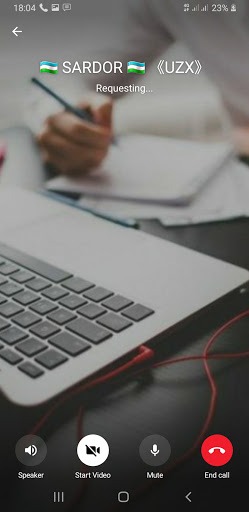
Telegram Pro is a social messaging application designed for Android devices. As a "Pro" version of Telegram, it offers extensive customization options, allowing users to adjust interface theme colors and the size of various UI elements. The app supports multiple accounts, making it easy to manage them simultaneously. Users can organize chats—including groups, channels, and bots—into custom-defined categories. When forwarding messages, you have the option to exclude the original quoted text. You can also add captions to messages before sending them. A floating notification appears when a contact is typing. The app can be used across multiple devices and features higher capacity limits.
Features
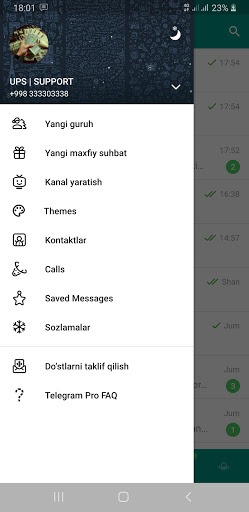
Customizable Interface: Users can change the app's theme, colors, and sizes of various elements, allowing for a personalized messaging experience.
Multi-Account Support: The app supports multiple accounts (up to 10), making it easy for users to manage different profiles.
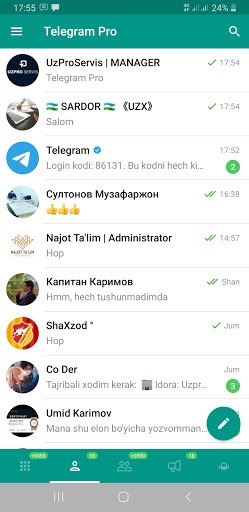
Enhanced Chat Management: Features include separated tabs for users, groups, channels, and bots, as well as the ability to categorize chats into custom groups.
Increased Limits: Users can pin up to 100 chats and save up to 20 favorite stickers, which is more than the official Telegram app allows.
Advanced Message Handling: Users can forward messages without quoting, edit captions before forwarding, and save documents with their original filenames.
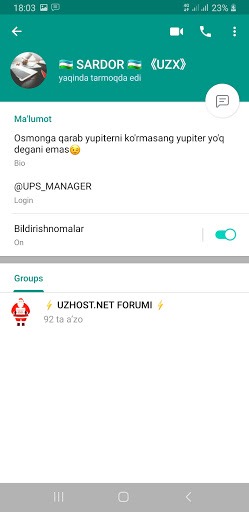
Privacy Features: Options to hide phone numbers in chats and notifications when screenshots are taken enhance user privacy.
Improved Notification System: Users can see floating notifications when contacts are online or typing, and there are options to mute chats directly from the main screen.
Media and File Sharing: Users can adjust the quality of photos before sending and have more control over video compression settings.
Highlights
Use any device: Thanks to the above convenience, it is easy for you to stay connected with friends and colleagues.
Share photos and videos quickly: Media or office files can be sent to everyone easily.
Increased capacity limit: With its strength, the application supports users in uploading large-sized content.
Update Log
Added "Disable bot widgets" option to block bot widgets from loading in chats.
Added "Show selection buttons at the bottom" option to move message selection icons to bottom bar.
Added in Settings → Data and Storage → Storage Usage, a new "Exceptions" option lets you keep stickers, emojis and/or GIFs from being removed by automatic cache cleanup.
Bug fixes and other minor improvements.
Summarize
Telegram Pro is available for most operating systems and it works well on all platforms. Thanks to the amazing features, getting secure messages has never been easier. If you want to join in the future, we recommend you give Telegram Pro a chance. Download the latest version below and prepare to be amazed.