TypeApp is an email application designed for Android devices. Users can log in to their Google and Microsoft email accounts, customize the layout, adjust themes, and configure various settings to suit their preferences. The app provides real-time notifications for incoming emails and allows for the easy addition of new accounts. It features a powerful search function, enabling users to quickly locate specific files or emails by searching via keywords, dates, or senders. Additionally, the app supports sending images, documents, videos, and other attachments. Users can toggle between light and dark modes; using dark mode at night helps reduce eye strain.
Features
Multiple Account Management: It supports several email accounts, including Gmail, Yahoo, and Outlook, allowing you to manage all your emails in one app.
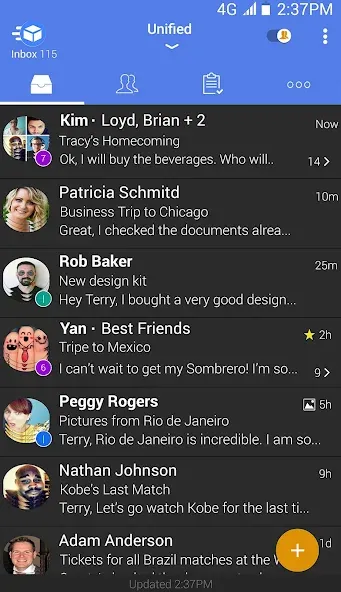
Customizable Interface: The app features a completely customizable design, so you can adjust the theme, layout, and settings to fit your style.
Smart Push Notifications: Stay on top of your emails with instant push notifications, alerting you to new messages as soon as they arrive.
Easy Setup: Its straightforward setup process makes creating new accounts and connecting email addresses simple.
Unified Inbox: All your emails are conveniently displayed in one place, making managing and responding to messages from different accounts easy.
Function
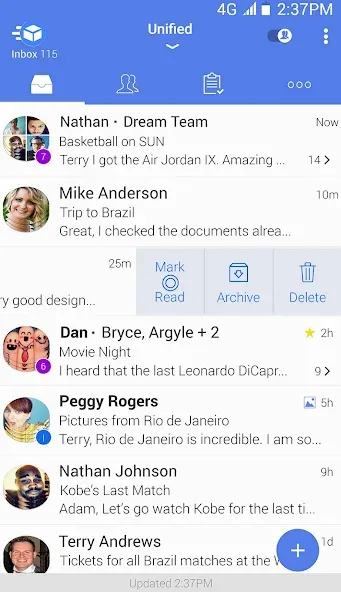
Advanced Search: The app includes a robust search function, allowing you to quickly find any email by searching for keywords, senders, or dates.
Attachment Support: Easily send and receive attachments, documents, images, or videos, all within the app.
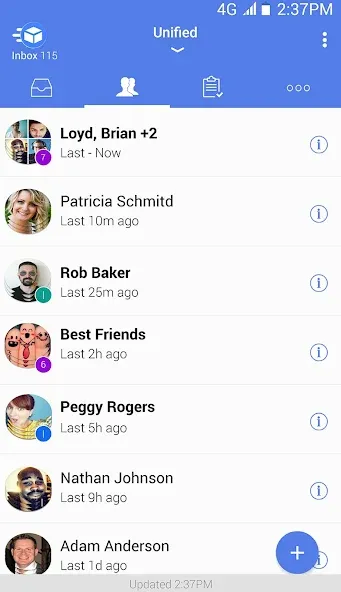
Conversation View: Group emails are sent into conversation threads, allowing you to follow the flow of discussions without losing context.
Spam Protection: The app automatically filters spam emails, ensuring your inbox stays clean and organized.
Dark Mode: For users who prefer a darker interface, it offers a built-in dark mode to reduce eye strain during nighttime usage.

Pros and Cons
Pros
Unified Inbox supports IMAP, POP3, and Exchange accounts
Clusters enable bulk handling of sender-based mail
Detailed notification controls for each account
Useful reminders, done status, widgets, and filters
Cons
Users report intermittent failures to refresh incoming mail
Missed updates may require closing and reopening the app
FAQS
Is TypeApp Email free to use?
TypeApp Email is free to download and use, but it also offers in-app purchases for additional features.
Can I use TypeApp Email with multiple email accounts?
Yes, TypeApp Email allows you to add and manage multiple email accounts from various providers.
Does TypeApp support push notifications?
Yes, TypeApp supports push notifications for new emails so you can stay updated in real-time.
Is it possible to customize the interface of TypeApp Email?
Yes, TypeApp allows users to customize themes, colors, and layouts according to their preferences.
Summarize
TypeApp is a beautifully designed email app providing a top-notch email experience while managing all your email accounts from one completely customizable mail app. With instant smart push notifications, packaged in an intuitive & easy to use design, TypeApp is the perfect replacement for your stock email client