Video Player All Format is a powerful video playback tool capable of handling a wide variety of media file formats. It supports features such as panning and zooming, and allows users to play high-definition and 4K videos. You can create custom playlists to organize your favorite content, and download subtitles in various languages. The app also includes an encrypted folder for storing private videos, which requires a password to access. You can efficiently manage your video library by renaming, cutting, or deleting files. Additionally, the app features a "night mode" that automatically activates eye-protection settings.

Features
Video player supports all video formats including MP4, MOV, M4V, MKV, WMV, RMVB, FLV, AVI, 3GP, TS etc.
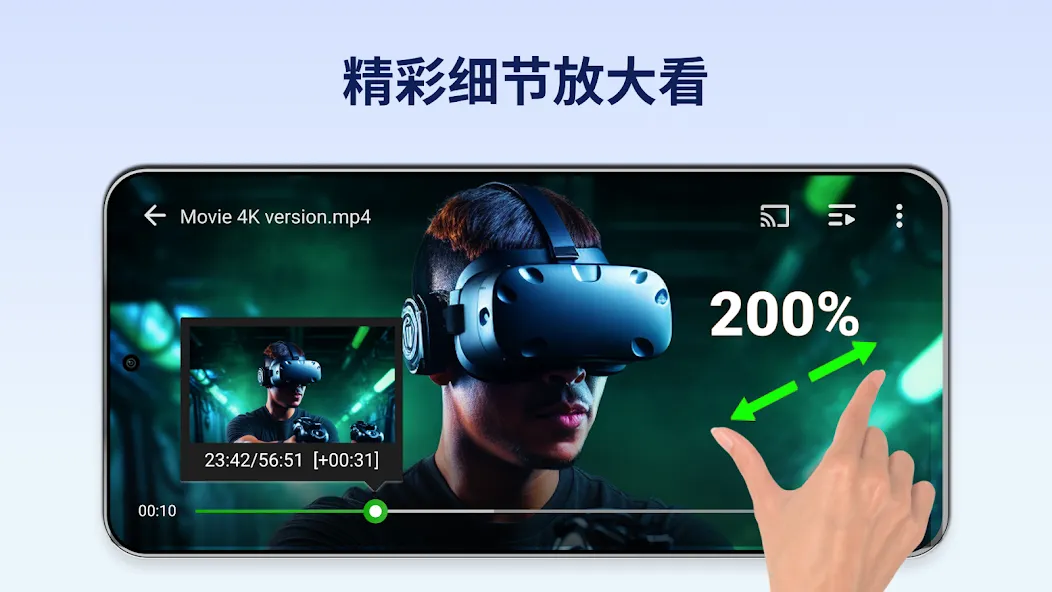
Support for PAN and ZOOM video files.
Play HD and 4K videos.
Create Video Playlist and add your favourite videos to it.
Folder Explorer with CUT ,COPY and PASTE.
Video Resume, Playback Speed, Night Mode & Timer.
Play videos in POP-UP window.
Equalizer support with treble and voice clarity adjustments.
Video Locker protects your personal video from others when use your device.
Support for Subtitle Download.
Video Cutter,MP3 Cutter and Video to MP3 Converter.
Powerful Music Player with 5 Band Equalizer and Bass Boost.
Cast videos to TV with Chromecast.
Fast forward ,fast backward.
Find and delete video files with Duplicate Video Finder and save your space.
Multi-Select video files and play, share or delete.
Easy gesture control of brightness and volume.

Highlights
Set password for private videos
Secure password for your private videos in a folder to hide and manage them. Access the private videos through secure steps and you don’t need to worried about anything. If forgot the password, you can find back your password by your security questions.
Smart manage classified videos
Video Player can Identify ALL video files on your device and SD Card automatically, allowing you to quickly locate and play the video. It helps you to manage your videos better. In addition, you can quickly rename, cut, delete and share your videos in a convenient way.
High quality and HD playing
Video Player using hardware decoding, take advantage of hardware acceleration. You can startup quickly in all of your devices up to Android 8.0 and enjoy the best HD videos played with a HD quality and smoothly speed to get the most perfect movies playing experience.
Pros and Cons
Pros
Supports a wide range of common and less common media formats
Resizable pop-up, split-screen, and background playback
Playback speed controls from 0.25x to 8x
Password-protected private album
Cons
Free version includes ads
Online playback depends on a stable connection
FAQS
What kind of video formats can we play with the Video Player All Format app?
Support ALL video formats, including MKV, MP4, M4V, AVI, MOV, 3GP, FLV, WMV, RMVB, TS, etc. All-in-one media player for different formats.
Can we store personal videos in a private folder?
Keep your video safe in a private folder. Support subtitle downloader and more. Play the video in the pop-up window, split-screen, or background.
What kind of other playback features do we get with this app?
Night Mode, Quick Mute, and Playback Speed. Identify ALL video files on your device and SD Card automatically. Video player HD for both Android tablets and Android phones.
Summarize
Video Player All Format is a versatile multimedia player for Android that supports an extensive range of formats including MP4, MKV, MOV, FLV, AVI, WMV, RMVB, and TS. This free application allows users to play videos and music from various sources such as local device storage, SD cards, USB drives, and even online streaming. Its user-friendly interface makes navigation simple, appealing to users with different levels of technical expertise.