YouTube Create is a classic video editing tool that allows users to place videos, photos, and audio onto a single timeline for editing and splitting. Users can add subtitles, remove background noise, and even extract subjects from their backgrounds. The app offers access to thousands of royalty-free music tracks, as well as a library of special effects and filters that can be customized for your videos. Developed by YouTube, this editing application is completely free of advertisements and supports the import and export of 4K-resolution footage.
Features
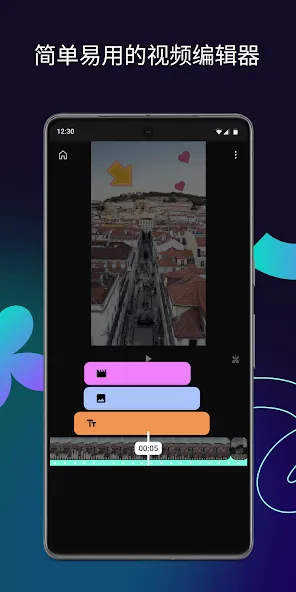
Simple editing timeline
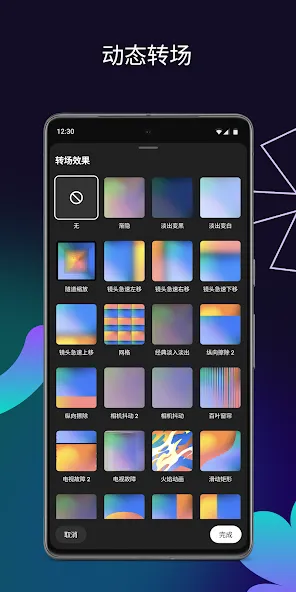
YouTube Create lets you combine videos, photos, and audio in one timeline. You can trim, split, crop, and adjust speed to shape your story with familiar controls. There are over forty transitions available, so you can move between clips with the style you prefer.
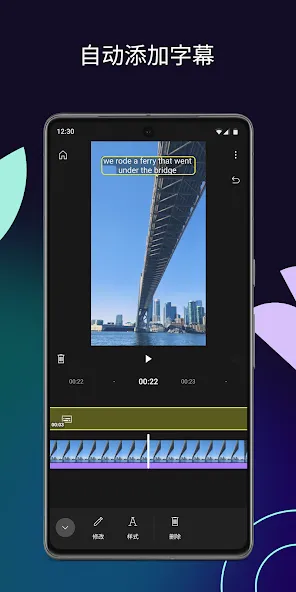
Auto captions, audio cleanup, and background cut out
Beyond basics, YouTube Create includes auto captions to generate subtitles with one tap, available in select languages. You can apply audio cleanup to reduce background noise and make speech clearer. When you need isolation, the cut out tool removes video backgrounds to keep attention on your subject.
Royalty free music, beat match, and voiceovers
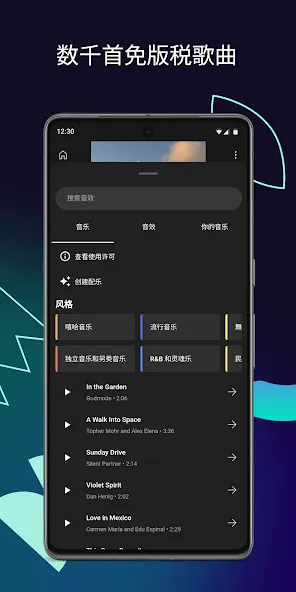
For audio, YouTube Create offers thousands of royalty free tracks and sound effects you can use in your edits. Beat matching helps align cuts to the rhythm of the track, which speeds up timing work. If narration is needed, you can record a voiceover directly in the app and place it exactly where it fits.
Filters, color controls, and effects
On the visual side, YouTube Create includes color adjustments for brightness, contrast, and saturation, along with customizable filters. You can add effects to emphasize moments or set a consistent look across your video. These tools help you tune the final image without leaving the timeline.
Text, stickers, and direct publishing
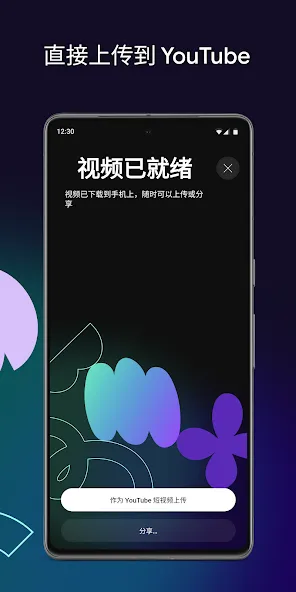
When your edit is ready for callouts or captions, YouTube Create supports hundreds of fonts and animated text styles. You can place stickers, GIFs, and emojis where needed to guide attention. Finally, choose portrait, landscape, or square formats and publish directly to your YouTube channel for both Shorts and longer videos.
Pros and Cons
Pros
Official editing app from YouTube, offered free of charge with no ads.
Includes auto-captions, 40+ transitions, templates, chroma key and background removal, voiceover recording, and a beat-matching tool.
Gives access to a library of royalty-free songs and sound effects through the YouTube Shorts music library.
Exports up to 4K resolution at up to 60 fps and can upload directly to your YouTube channel.
Cons
Lacks advanced editing tools such as keyframing and overlaying transparent images, according to user reviews.
Auto-captions are limited to select languages and to the app's built-in fonts, so custom fonts cannot be used for captions.
FAQS
Is YouTube Create free to use?
Yes, the platform is completely free to download and use, offering all its premium editing features without any hidden subscription costs or intrusive watermarks on exported videos.
Does this tool support 4K?
Currently, this solution allows users to import and edit high-quality footage, ensuring that the final output meets the high standards required for modern digital viewing experiences across various devices.
Can I use YouTube Create for Shorts?
Absolutely, YouTube Create is specifically designed to handle both long-form videos and vertical Shorts, providing the ideal aspect ratios and tools for short-form storytelling.
Summarize
YouTube Create is a user-friendly video editing app that can produce high-quality content directly from mobile devices. It simplifies the editing process with many intuitive tools, including editing options, an extensive library of royalty-free music, and background noise removal features. While the app's extensive features may present a learning curve for some, it ultimately provides an efficient way to craft engaging videos tailored for YouTube and beyond.