
AnkiDroid is an educational app designed for Android devices. It begins by assessing the user's memory, then employs an algorithm to schedule scientifically optimized review intervals. The app presents information—such as mathematical formulas—in the form of flashcards, which can incorporate text, images, and audio. Users can also create their own flashcards using built-in tools or import entire question banks. Additionally, the app offers various home screen widgets that can be added to the user's home screen. Users can customize the app's color scheme to their preference. By facilitating in-depth memorization through flashcards, AnkiDroid helps students acquire knowledge more efficiently.
Features
Multiple content types and scheduled reviews
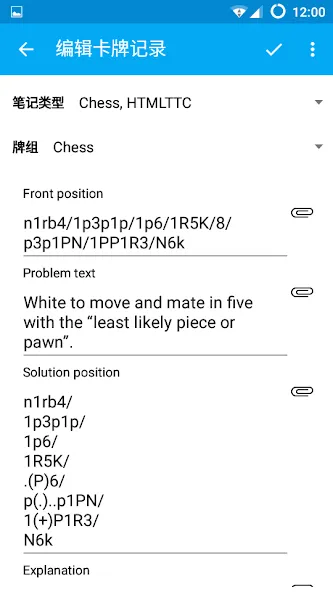
AnkiDroid spaces reviews with the SuperMemo 2 algorithm to balance retention and workload. Cards can include text, images, audio, and math using MathJax. You can also enable text to speech for listening practice or write answers when you want active recall.
Build and organize your decks
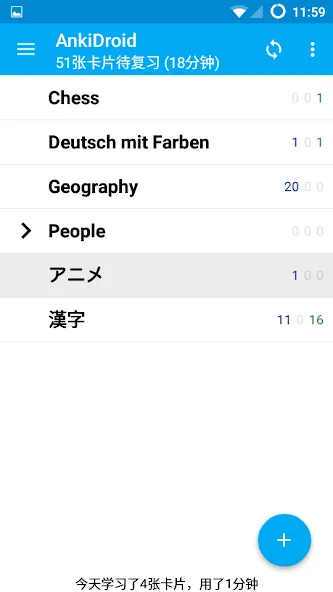
You can create and edit cards with the built in tools, browse your collection, and organize decks for different topics. Import existing collection files through Anki Desktop or add cards from other apps such as dictionaries by intent. Dynamic deck handling, custom fonts, and a tablet friendly layout support flexible study. Thousands of premade decks across many subjects are available if you prefer to start quickly.
Progress, sync, and comfortable study
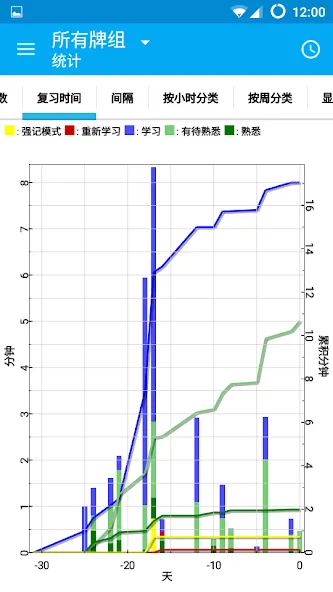
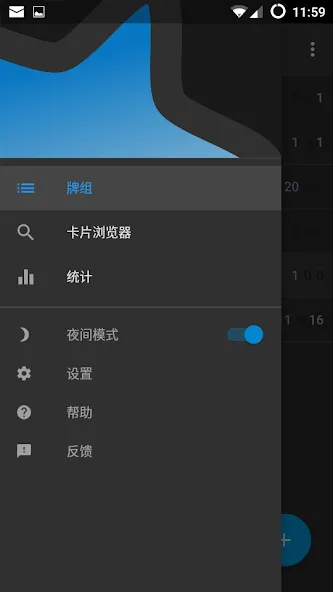
You get a home screen widget and detailed statistics to understand workload and accuracy over time. Syncing with AnkiWeb keeps reviews and changes aligned across devices, and a full backup system protects your collection. Navigation by swipe, tap, or shake plus dark mode and 100+ localizations supports daily use.
Pros and Cons
Pros
Spaced repetition schedules cards according to recall difficulty
Supports text, images, audio, MathJax, and written answers
Synchronizes with Anki through AnkiWeb
Detailed statistics and progress tracking
Cons
Building well-designed personal decks can take considerable time
Effective use depends on maintaining a consistent review routine
Update Log
Full-screen navigation drawer drag is a preference, default off
Floating Action Button ('+') labels clickable again
Fixed crash first run post-install on tablets
Fixed crash creating new deck from deck chooser
We're deep into v2.25.3 development + Google Summer of Code, new stuff coming
Summarize
Download AnkiDroid APK to start using this app's simple study system, designed to help you focus on the concepts that are most difficult for you to remember. Thanks to the app being cross-platform, you will also be able to sync all your cards with the PC and Mac versions. For example, you can prepare your decks on the desktop version, then automatically add them to the Android app.